
Local face swap software for Mac and Windows.
Swap faces in images, videos, and live camera feeds with an open-source desktop app. Process media on your own computer, preview results locally, and choose when model files are downloaded.
Paid installers on Patreon. Review the post for access options, then choose the file for your system.- Runs locallyYour data stays on your device
- Open sourceTransparent and auditable
- Cross-platformmacOS 12+ and Windows 10/11
Face swap video examples
How local video and live face swap works
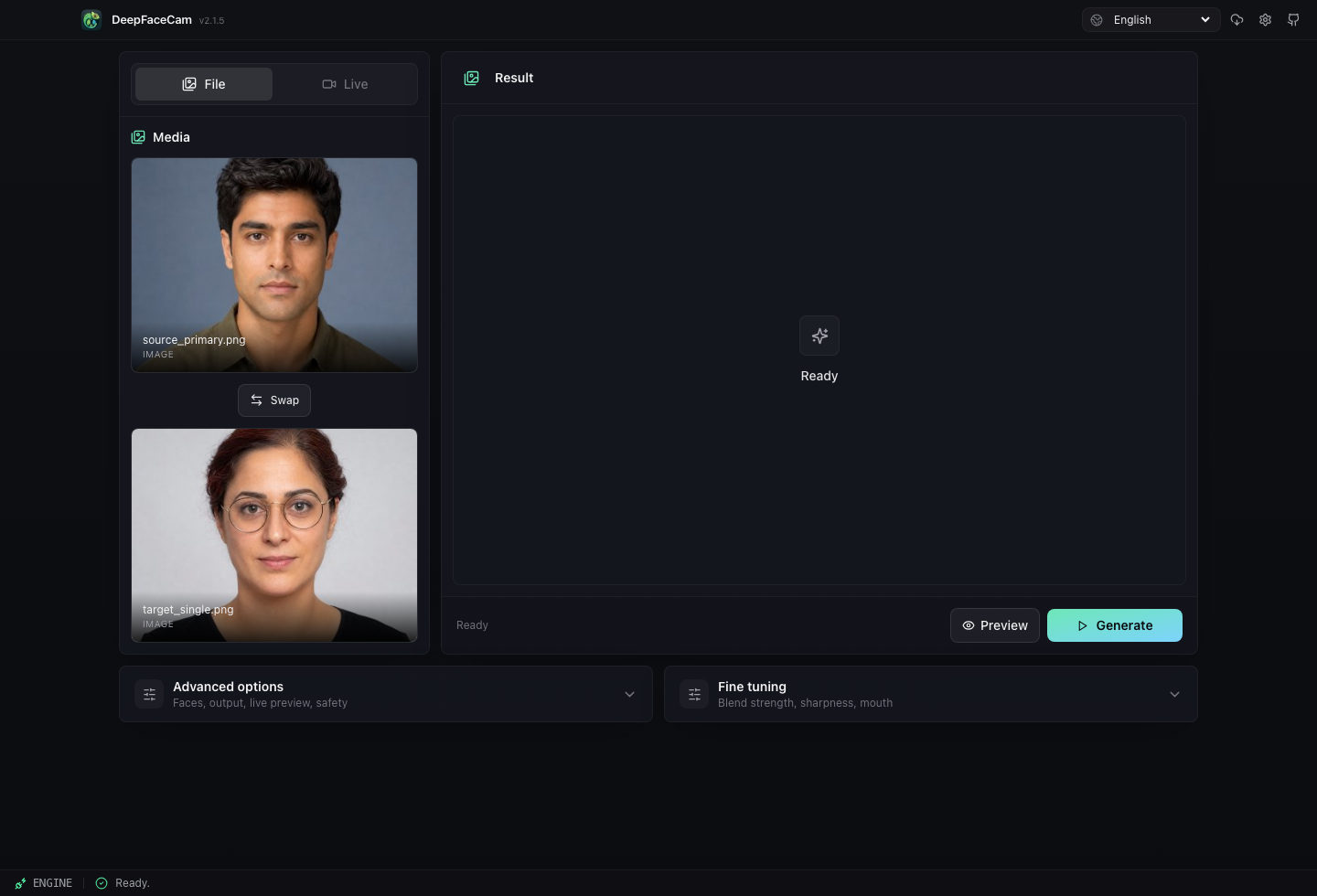
Add source & target
Import two photos or frames and keep the original files on your machine.
Tune & customize
Adjust alignment, blending, face enhancement, and safety settings.
Preview locally
Generate a local preview before you export or switch to live mode.
Export or go live
Render media files or use the live camera mode for desktop workflows.
Get supporter builds
Source code is public. Ready-to-run installers are offered as supporter downloads to fund packaging, notarization, testing, and maintenance.
Apple Silicon & Intel
DMG builds with bundled Python sidecar and ffmpeg tools.
Get the macOS Installer Separate Apple Silicon / Intel DMGs · Unsigned buildCPU, DirectML & CUDA
Windows x64 MSI and setup installers for common acceleration paths.
Get the Windows Installer CPU / DirectML / CUDA installers · Unsigned buildChoose a Deep Face Cam installer
The current Patreon post provides v0.1.0 installers. Select your processor and GPU backend before downloading.
| Your computer | Installer |
|---|---|
| Mac: Apple M-series | Apple Silicon (aarch64) · DMG |
| Mac: Intel | Intel (x64) · DMG |
| Windows: NVIDIA GPU | NVIDIA CUDA · MSI |
| Windows: compatible AMD / Intel GPU | DirectML · MSI |
| Windows: CPU fallback | CPU · MSI |
Install and test a short clip
- Open the matching DMG or MSI. On Mac, copy the app to Applications; on Windows, follow the installer.
- These early builds are unsigned. Check the source and read the operating-system prompt before deciding whether to open the app.
- Review and confirm first-run model downloads. Keep space for models and exports; initial setup requires internet access.
- Import a face and a short target clip, check the preview, then export or test live mode.
Open-source face swap software, local by design.
Deep Face Cam is licensed under AGPL-3.0. You can inspect the code, build it yourself, fork it, and verify what runs on your machine.
- 100% local processing
- No uploads. No tracking. Your data never leaves by default.
- Explicit model downloads
- You choose what model files are installed after checksum verification.
- Auditable and transparent
- React, Tauri, and Python backend code are available in the source repo.
$ git clone https://github.com/DeepFaceCamLabs/deep-face-cam
$ cd deep-face-cam
$ npm install
$ npm run tauri devModels download only after confirmation
The app does not commit model binaries to the source repository. Required files are downloaded into the user app data directory after an explicit prompt and checksum verification.
Required
Face swap and face analysis models
Optional
GFPGAN and GPEN enhancement models
Local cache
Generated CoreML files stay on your machine
FAQ
Can I build it myself?
Yes. The source repository includes build and packaging notes.
Do media files leave my computer?
The core workflow is local. Network access is used for model downloads and project links.
Why are installers paid?
The code is open. Supporter installers fund signing, packaging, testing, and ongoing maintenance.
Can I use it on real people?
Only with consent and lawful use. Do not use it for deception, impersonation, harassment, or non-consensual intimate imagery.